The Road to 13.4.2: Mastering Performance & Material You
A deep dive into how we optimized the playback engine, fixed critical threading bugs, and pushed Material Design 3 to its limits.
The Evolution of Metrolist
Building a music client is more than just playing audio; it’s about the experience. With the upcoming 13.4.2 release, we’ve focused on two core pillars: Precision and Personalization.
Fixing the “Stutter” (The Threading Bug)
One of our biggest hurdles was a race condition in the lyrics synchronizer. On slower devices, the UI thread would block while waiting for the next timestamp.
This fix required a complete rewrite of our concurrent fetching logic to ensure the player remains responsive even during heavy network activity.
We moved the lyrics processing to a dedicated background worker. Here is a simplified look at the new fetching strategy:
// Optimized lyrics fetching with background concurrency
suspend fun fetchLyricsSync(trackId: String): LyricsResult = withContext(Dispatchers.IO) {
    val cached = cache.get(trackId)
    if (cached != null && !cached.isStale()) {
        return@withContext cached
    }

    // Concurrent fetch from multiple providers
    val result = lyricsProvider.fetch(trackId)
    cache.put(trackId, result)
    result
}
Material You: Beyond Just Colors
Material Design 3 (M3) is at the heart of Metrolist. We’re not just grabbing colors from your wallpaper; we’re adopting the full Expressive motion system.
Visual Improvements
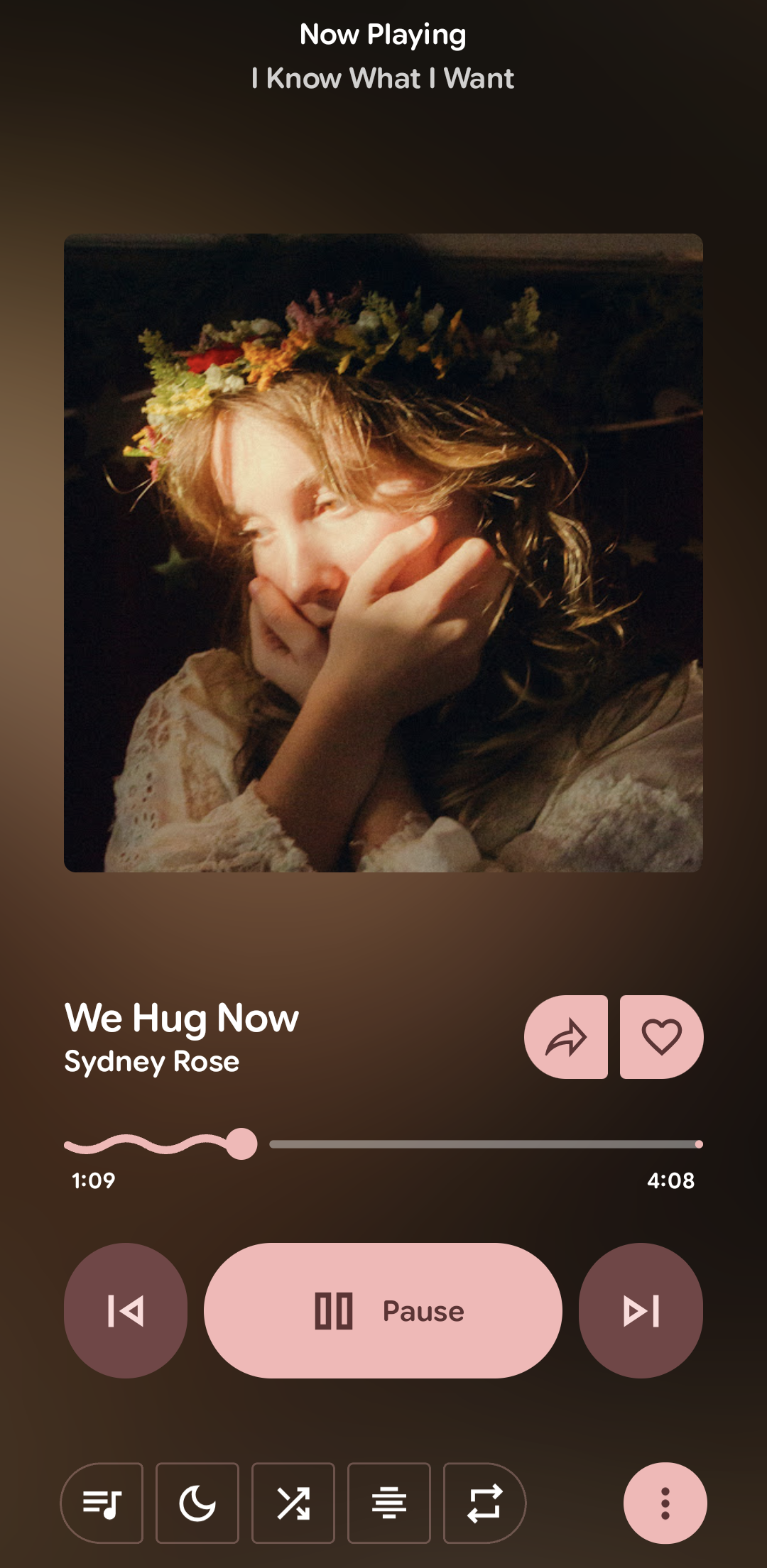
We’ve updated our player component to support “Tonal Elevation.” Instead of using heavy shadows, we use surface color shifts to indicate depth.
- Surface-Container-Low: Used for the main background.
- Surface-Container-High: Used for interactive cards like “Up Next.”
- Primary-Container: Reserved for high-emphasis actions (Play/Pause).
You can toggle the “Achromatic” mode in Settings if you prefer a clean, grayscale look over dynamic wallpaper colors.
New Feature: Shared Lyrics
You can now export lyrics as high-resolution images to share on social media. We’ve optimized the layout to look great on any background.
This feature is currently in Beta. You might encounter layout issues with extremely long lyrics or non-standard font sizes.
Usage in the App
- Open the Lyrics tab while a song is playing.
- Long-press on any line.
- Select the lines you want to share.
- Tap Share as Image.
# How to build the experimental share module locally
./gradlew :app:bundleRelease -PexperimentalShare=true
Community Contributions
This release wouldn’t be possible without our amazing contributors. Special thanks to
 @nyxiereal
for the Cast implementation and
 @ThatOneCalculator
for the search improvements!
Stay tuned for the official release notes next week!